


GST Technology & AI
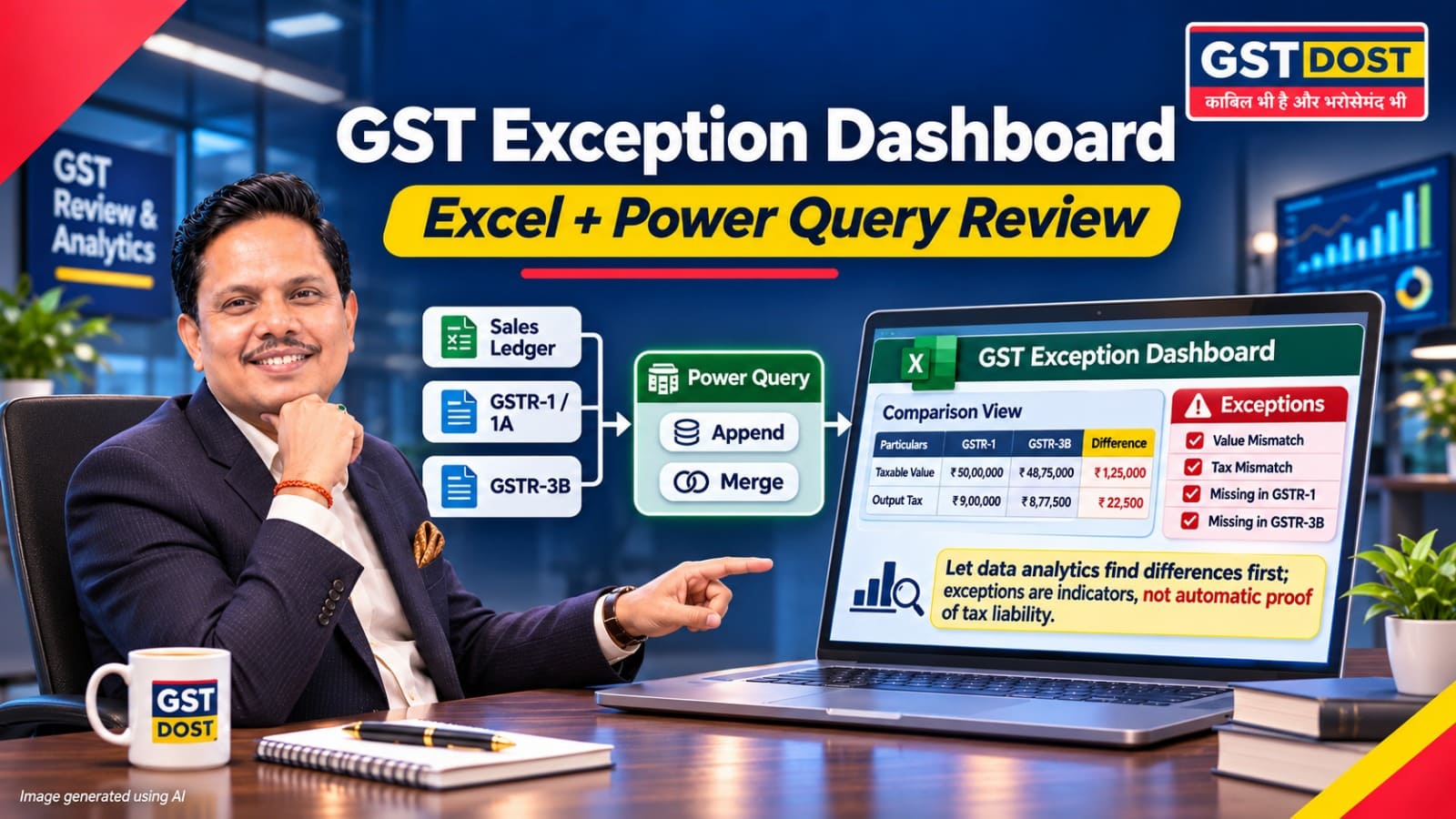
Preparing GSTR-9 means checking a year of returns against thousands of ledger entries. Even after every total is checked, an error can stay hidden inside one month or one tax head. Power Query in Microsoft Excel can consolidate the data, compare like with like and list the differences. It does not replace professional judgment. It tells the reviewer where to look first.
Key points
- A difference between two returns is an exception indicator. It is not proof of unpaid tax.
- Compare data only after it is brought to the same level of detail: aggregate first, then merge.
- A dashboard that shows "zero difference" is reliable only if every period, tax head and source file is actually present.
Why this matters
An accountant preparing GSTR-9 may spend hours checking twelve GSTR-1 returns, twelve GSTR-3B returns and thousands of ledger entries. Even then, a mistake can remain hidden in one month.
Power Query can consolidate the data, compare common fields and highlight differences. It directs the team towards the transactions that need investigation, so that review time is spent on exceptions and not on ticking totals.
The problem with ordinary Excel checking
Suppose a company reports taxable outward supplies of ₹24,00,000 in GSTR-1 for March 2026, while the comparable figure in GSTR-3B is ₹21,00,000.
| March 2026 | Taxable value |
|---|---|
| Comparable GSTR-1 data | ₹24,00,000 |
| Comparable GSTR-3B data | ₹21,00,000 |
| Difference flagged for review | ₹3,00,000 |
Illustrative figures only. The reviewer must establish whether the difference is real and what caused it.
The ₹3,00,000 difference needs investigation. But the two figures must first be placed on a truly comparable basis, taking into account GSTR-1A, amendments, advances and the relevant return categories. A simple subtraction is an exception indicator. It is not proof of unpaid tax.
The team should then examine the underlying invoices, amendments, return summaries and tax-payment records before concluding whether a correction or an explanation is needed.
A repeatable Power Query workflow
Two Power Query operations do most of the work. Append stacks similar tables, such as twelve monthly files, into one table. Merge joins two tables on common fields.
Two points from Microsoft's documentation shape the design. Append matches columns by name, so a column that is named differently in one file ends up as a separate column with blank values. A full outer merge keeps all rows from both tables whether or not a match exists, which makes it suitable for finding records that are present on one side only.
- Create three source datasets: the sales ledger, GSTR-1 together with GSTR-1A, and GSTR-3B.
- Standardise column names, dates, GSTIN, tax head and supply category. Keep both the accounting period and the GST reporting period.
- Append the monthly files of each dataset without changing the original files.
- Aggregate each dataset to the same level before comparing, for example by GSTIN, reporting period, tax head and supply category.
- Merge the aggregated tables with a full outer join and compute the difference.
- Flag unmatched rows and differences above a set threshold for manual review.
Aggregate before merging: Do not merge an invoice-wise sales register directly with a monthly GSTR-3B summary. The two are not at the same level of detail, so the result will mislead.
Using AI to draft the workflow
An AI assistant can draft the query steps and the layout of the exception report. Use dummy or anonymised data for the exercise. A reusable prompt:
Data confidentiality: Do not upload confidential client data to a public AI service without proper authority and appropriate security safeguards. Test any AI-generated formula or query on sample data before using it on live returns.
Action points
For business owners and finance heads
- Ask for an exception list. A statement that the returns are being reconciled is not a deliverable. Ask for a prioritised list of differences with amounts.
- Insist on an owner and a conclusion. Every exception should be assigned to a named person and closed with a recorded reason.
- Set the data rules. Decide who may share GST data with which tools, and require anonymised data for any public AI service.
For accountants and GST professionals
- Export the relevant return summaries and accounting data in Excel or CSV format.
- Create separate raw-data folders for each GSTIN and financial year.
- Use Power Query to append the monthly files without changing the originals.
- Aggregate the data consistently by GSTIN, reporting period, tax head and supply category.
- Apply a full outer merge and flag unmatched records or material differences.
- Assign a team member to investigate each exception and record the conclusion.
Red flag: A dashboard shows "zero difference" even though a monthly return, a tax head or a source file is missing. This may indicate faulty joins or incomplete data. Check source-file counts and control totals before relying on a nil difference.
Working paper evidence: Preserve source-file counts, totals, refresh date, query logic, exception list, supporting invoices and reviewer sign-off.
Review discipline: ICAI's SA 520 deals with analytical procedures and SA 230 with audit documentation. Both are written for audits of financial statements. Their principles can guide the discipline of a GST review. They are not additional statutory requirements for GSTR-9 or GSTR-9C.
What management should receive: A prioritised list of discrepancies, with amounts and conclusions, in place of a general statement that the returns are being reconciled.
Practical takeaway
Let technology identify the exceptions. Let a trained professional decide their legal and financial significance.
Sources and references
- Microsoft Learn - Append queries (Power Query).
- Microsoft Learn - Full outer join (Power Query).
- GSTN user manual - Create and Submit GSTR-3B.
- ICAI - Engagement and Quality Control Standards (complete text), including SA 520, Analytical Procedures, and SA 230, Audit Documentation.
Disclaimer: This article is for general information only and reflects the position as understood on the review date mentioned above. It is not legal advice and does not create a professional relationship. Figures in the example are illustrative. Software features and portal data formats can change, and any query or formula should be tested on sample data before use. Please obtain professional advice before acting on this article.
GST DOST | GST Annual Return, Reconciliation and Technology-led Review

Related posts
Build a GST Exception Dashboard in Excel: Let Data Analytics Find the Mistakes First...
GSTR-9C: A Turnover Difference Does Not Always Mean GST Was Underpaid...
Before 30 November 2026: Find the ITC Your Business May Still Be Entitled to Claim...
You Received an Advance Today, but the Service Will Be Delivered Next Month. When Is GST Payable?...
