


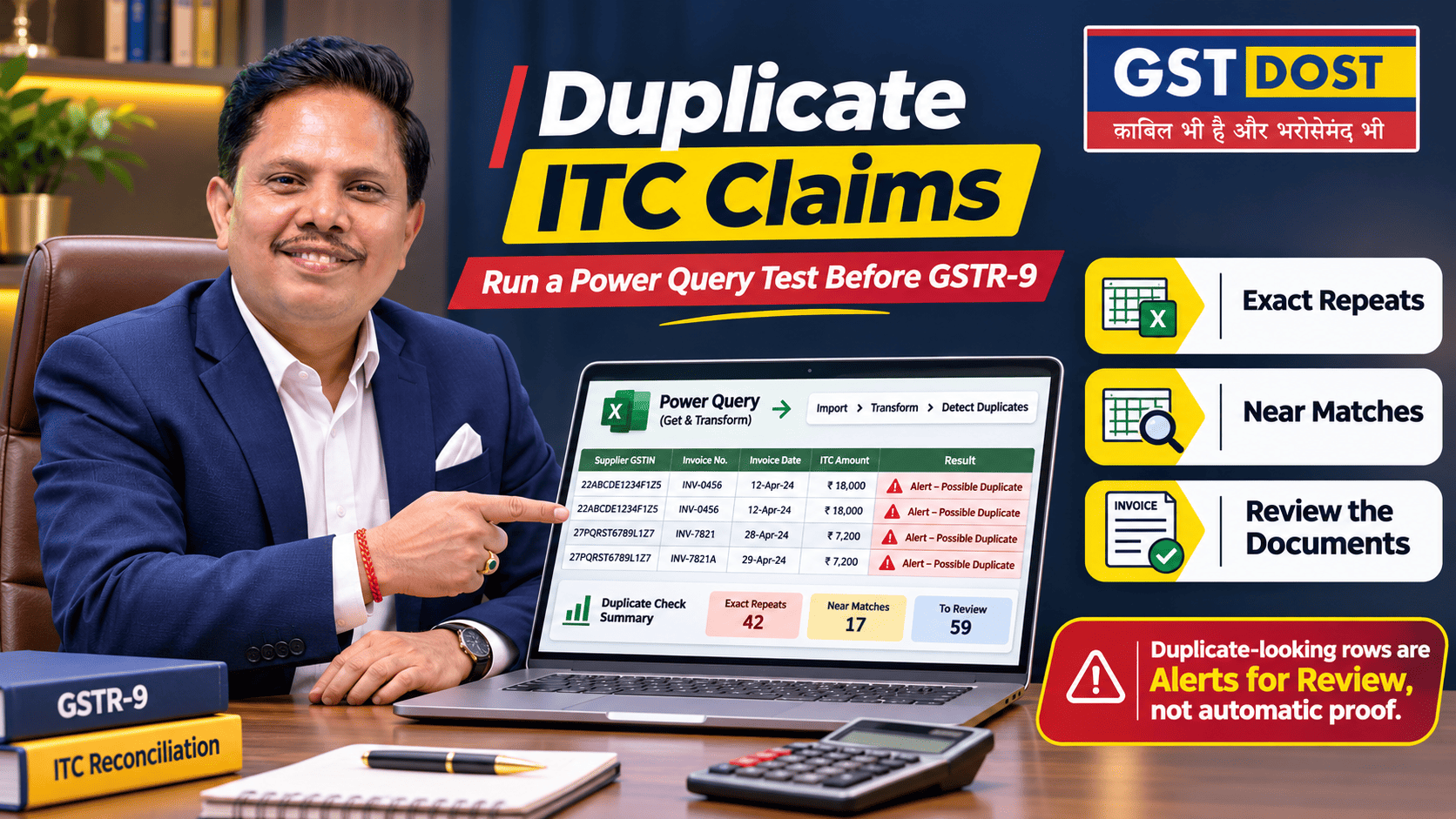
The same purchase invoice can enter the books twice. The supplier's invoice number is typed in two ways, an import file is loaded again, or one bill is posted through two ledgers. If input tax credit (ITC) is taken on both entries, the excess sits unnoticed inside the monthly totals. Power Query, the data tool built into Excel, can list the suspect pairs in a few minutes. Deciding whether credit was really taken twice still needs a person and the documents.
In simple terms
- A duplicate row in the purchase register is a question. It is not proof of excess credit.
- Three tests are needed: exact repeats, near matches such as INV-0048 and INV/0048, and the same bill entered under two different numbers.
- Keep the original invoice number untouched. Use a cleaned-up copy only for screening.
Why this matters
GSTR-2B is an auto-drafted statement built from what suppliers and others have reported. It shows each document as the supplier reported it. It does not know how many times that document was entered in the recipient's books. GSTN's FAQs on GSTR-2B tell taxpayers to reconcile it with their own records and to make sure that credit is not taken twice on any document.
Credit taken twice is credit wrongly taken. When it is found later, it has to be reversed, with interest where it was also used to pay tax. It is far cheaper to find it before the annual return than to have it pointed out afterwards.
Why invoice numbers mislead
Rule 46(b) of the CGST Rules requires a tax invoice to carry a consecutive serial number of not more than sixteen characters, in one or more series, made up of letters, numerals, the hyphen and the slash, and unique for a financial year. Three things follow for a duplicate test:
- The number is unique only for one supplier in one financial year. The supplier's GSTIN and the financial year must be part of the comparison. The same number from the same supplier in two different years is not a duplicate.
- The hyphen and the slash are valid characters. INV-0048 and INV/0048 are usually one invoice typed in two styles, but they can be two real invoices. Removing these characters is acceptable for screening and never for a conclusion.
- The type of document matters. An invoice, a debit note and a credit note can carry similar numbers. Compare like with like.
Three tests
The cleaned number is the original number in capital letters, with spaces, hyphens and slashes removed. Leading zeros are left alone.
Practical example
A supplier's invoice for machinery spares has a taxable value of ₹90,000 and GST of ₹16,200. The purchase register shows two entries for it.
Illustrative figures only. Both entries are from the same supplier.
Test 1 does not flag the pair, because the numbers differ. Test 2 flags it, because both become INV0048. Test 3 flags it as well. The pair now has to be checked against the documents.
The steps in Excel
- Export the purchase or ITC register with its original columns: recipient GSTIN, supplier GSTIN, document type, document number, document date, taxable value, each tax head and the GSTR-3B period in which the credit was taken. Keep the export unchanged. Note the number of rows and the totals.
- Load it into Power Query. Set the document number column to the Text type, so that leading zeros are not lost. Add a column for the financial year.
- Add the cleaned number as a new column. Do not overwrite the original. The formulas are given below.
- Use Group By. Choose Advanced, add the columns of Test 1 as grouping columns, and add two aggregations: Count Rows and All Rows. Keep the groups with a count above 1. The All Rows column holds the records behind each group, so nothing is lost.
- Repeat for Test 2 and Test 3 with their own columns.
- Put the flagged groups into one exception register with columns for the test, the rows, the decision, the evidence and the name of the reviewer.
Cleaned number as a custom column in Power Query, where the column is named Doc No:
The same result in a worksheet, where D2 holds the original number:
Three things to know about the tool: Microsoft's documentation says that Power Query compares text case-sensitively, so convert the key columns to capital letters first. For a quick look, select the key columns and use Home > Keep Rows > Keep Duplicates. The fuzzy grouping option described by Microsoft is available only in Power Query Online, which is why Test 3 is used here for near matches in Excel.
A useful cross-check: For each supplier, compare the number of documents and the total tax in the purchase register with GSTR-2B for the year. A supplier with more documents in the books than in GSTR-2B deserves a closer look.
What is not a duplicate
- An invoice and a credit note or debit note that refer to it.
- An amended invoice. GSTR-2B shows the revised document with a reference to the original.
- A reversal followed by a re-claim of the same invoice, for example after a delayed payment to the supplier is made.
- The same invoice number from the same supplier in a different financial year.
- Regular bills of the same value, such as monthly rent. Test 3 will flag them if they share a date, and a glance at the documents will clear them.
Using AI to draft the query
An AI assistant can draft the steps. Practise with made-up data. A prompt you can reuse:
Data confidentiality: Test the logic on made-up invoices before using it on real data. Never upload confidential invoices or GSTIN-linked files of a business or its clients to a public AI system without permission and adequate safeguards.
If credit was taken twice
- Reverse it. CBIC Circular No. 170/02/2022-GST says that Table 4(B)(2) of GSTR-3B may be used to reverse credit taken in an earlier period by mistake. Payment through FORM GST DRC-03 is the other route. Confirm the route before using it.
- Compute interest where it applies. Under section 50(3) of the CGST Act, interest is payable where credit has been wrongly availed and utilised. Rule 88B calculates it from the date of utilisation to the date of reversal.
- Show it correctly in GSTR-9. A reversal made in a GSTR-3B of FY 2025-26 belongs in Table 7. Credit of FY 2025-26 reversed in a return of the next year belongs in Table 12.
Action points
If you own or manage the business
- Ask whether a duplicate test has been run. It should cover the whole year's purchase register, before GSTR-9 is filed.
- Ask how the accounting system stops a repeat entry. Find out whether it warns when a supplier's invoice number is entered a second time, and whether that warning is switched on.
- Ask for the exception register. It should show what was flagged, what was cleared with reasons, and the credit to be reversed.
- Make it a monthly check. Run it before each GSTR-3B, so that a duplicate is caught before the credit is taken.
If you do the reconciliation
- Export the register with the original document fields and the period of each claim.
- Add the cleaned number as a separate column. Never overwrite the original.
- Run the three tests and combine the flagged groups.
- For each group, check GSTR-2B to see whether the supplier reported one document or two.
- Confirm from the monthly ITC working whether the same credit was actually taken twice.
- Where it was, compute the reversal and the interest, and record how it will appear in GSTR-9.
- Write down the explanation for every group that is cleared.
Red flag: Two rows trace back to the same original tax invoice, each is linked to a separate ITC claim, and there is no reversal on record.
Records to keep: The untouched exports, the query steps, the duplicate groups, copies of the invoices, the GSTR-2B extract, the claim period of each row and the signed decision on each group.
What you should have at the end: A list of confirmed duplicates with the credit involved, a list of cleared items with reasons, and the bookkeeping weakness that allowed the repeat entries.
Practical takeaway
The tool finds the suspect pairs. A person has to prove whether the credit was taken twice.
Terms used in this article
- Input tax credit (ITC)
- The credit a registered business takes for GST paid on its purchases, which it sets off against the GST payable on its sales.
- Purchase register
- The list of purchase invoices recorded in the books, from which the credit for each month is worked out.
- GSTR-2B
- The auto-drafted statement on the GST portal that shows the credit available to a recipient, based on what suppliers have reported.
- GSTR-3B
- The summary return in which tax is paid and ITC is taken for a tax period.
- Power Query
- The tool in Excel, under the Data tab, for importing, cleaning and combining data in recorded steps.
- Group By
- A Power Query step that puts rows with the same values in chosen columns into one group and counts or totals them.
- Key
- The column or combination of columns used to decide whether two rows refer to the same document.
- Cleaned number
- A copy of the invoice number with capital letters and without spaces, hyphens and slashes, used only for screening.
Sources and references
- GSTN FAQs on GSTR-2B - nature of the statement, reconciliation with books and the caution against taking credit twice.
- Rule 46(b), Central Goods and Services Tax Rules, 2017 - serial number of a tax invoice.
- Microsoft Learn - Grouping or summarizing rows (Power Query) - grouping by several columns, Count Rows, All Rows and fuzzy grouping.
- Microsoft Learn - Working with duplicate values (Power Query) - Keep Duplicates and case sensitivity.
- Microsoft Learn - Text.Remove (Power Query M).
- CBIC Circular No. 170/02/2022-GST dated 6 July 2022 - reporting of reversals in Table 4(B) of GSTR-3B.
- Section 50 of the CGST Act (CBIC) and rule 88B of the CGST Rules (CBIC) - interest on credit wrongly availed and utilised.
- GSTN FAQs on GSTR-9 and GSTR-9C - Tables 7 and 12 of GSTR-9.
Disclaimer: This article is for general information only and reflects the position as understood on the review date mentioned above. It is not legal advice and does not create a professional relationship. Whether two entries are duplicates, and whether credit was taken in excess, depends on the facts and documents of each case. Invoice numbers and figures in the example are illustrative. Software features can differ between versions, and any query should be tested on sample data before use. Please obtain professional advice before acting on this article.
GST DOST | GST Annual Return, Reconciliation and Technology-led Review

Related posts
Could a GST Officer Turn ‘Can’ Into ‘Must’? The ₹53.36 Crore Solar Case...
Duplicate ITC Claims: An Excel Power Query Test to Run Before GSTR-9...
Export IGST Refund Not Moving? Check the Export Ledger on the GST Portal Before Blaming Customs...
Capital Goods ITC and Depreciation: Check the Fixed-Asset Register Before GSTR-9...
