


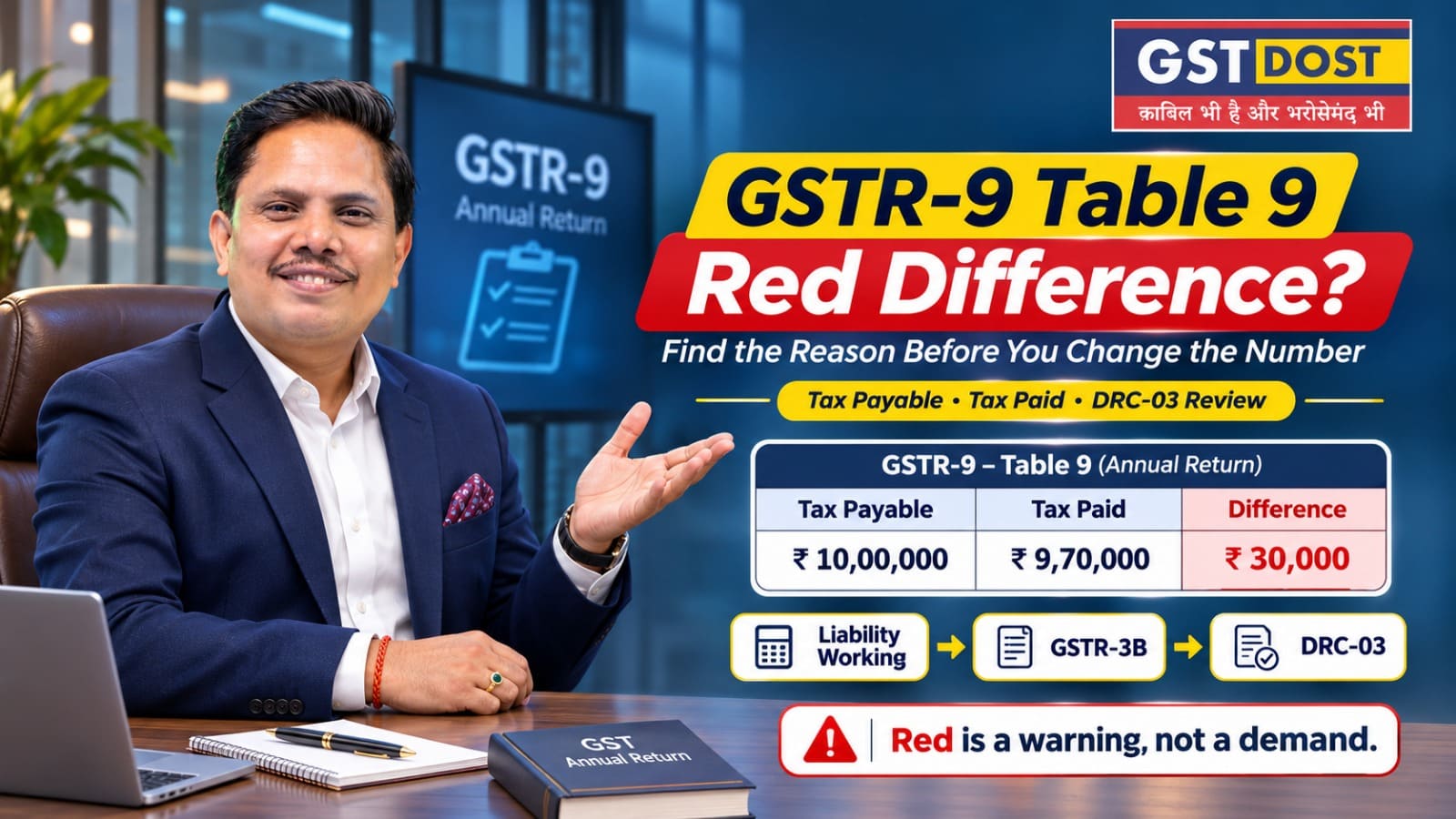
Table 9 of the annual return puts two things side by side for each tax: the tax payable for the year, and the tax actually paid through the monthly returns. The portal now also shows the difference between them, and marks in red a figure that departs from its own calculation. The red colour makes people uneasy. The quickest way to remove it is to type a tax payable figure that matches the tax paid. That makes the screen look clean and the return wrong.
In simple terms
- The tax paid columns of Table 9 come from the filed GSTR-3B returns and cannot be edited. Only the tax payable column can be changed.
- The red highlight is a warning from the portal. It is not a tax demand. It also stays on the return after filing.
- If more tax is really payable, it is paid through FORM GST DRC-03, from the cash ledger. GSTR-9 cannot be revised once it is filed.
Why this matters
Table 9 is where the annual return states how much tax the business owed for the year. A figure typed in only to match the tax paid can hide a real shortfall. It can equally throw away a correct figure that needed nothing more than an explanation. In both cases the person who signs the return has declared a liability that nobody worked out.
What the portal does
The manual shows the entry being saved after the warning. The red highlight therefore marks the figure for attention. It does not decide whether the figure is right.
What a difference can mean
Compare one tax head at a time. A shortfall of integrated tax is not cancelled by an excess of central tax or State tax.
Practical example
A manufacturer has worked out its integrated tax for FY 2025-26 from its reconciled sales records.
Illustrative figures only.
It is tempting to conclude that ₹10,000 is still payable. It is equally tempting to enter ₹12,10,000 as tax payable and close the matter. Neither is safe until the DRC-03 has been read.
A reference number on a DRC-03 proves that a payment was made. It does not prove what the payment was for.
How to investigate
- Start from the liability, not from the screen. Work out the tax payable for the year from the reconciled turnover and rates, separately for integrated tax, central tax, State tax and cess.
- List the tax paid month by month. Take it from each filed GSTR-3B, split between cash and ITC, and agree the total with Table 9.
- Find the month in which the difference arose. A yearly difference almost always belongs to one or two returns.
- Look for payments outside the year's GSTR-3B. These are payments in next year's returns and payments through DRC-03.
- Match each such payment to its liability. Check the period, the tax head, the cause, the challan and the ledger entry. Do not count the same payment twice.
- Decide what remains. For each difference the answer is one of four: pay, already paid, reporting difference, or needs legal advice.
On interest: Tax paid after its due date carries interest under section 50 of the CGST Act. Work it out for the period of delay when any balance is paid through DRC-03.
The link with GSTR-9C: The tax figures of the annual return are carried into the tax reconciliation in GSTR-9C. A tax payable figure that cannot be supported in GSTR-9 will have to be explained again there.
Action points
If you own or manage the business
- Ask to see Table 9 before the return is filed. Look at the difference column for each tax.
- Ask for the reason behind each difference. The answer should name the month, the amount and the document.
- Do not accept a figure changed only to remove the red colour. The highlight stays after filing in any case.
- Have a second person review the conclusion. The person who prepared the working explains it, and someone senior questions it.
- Approve any DRC-03 payment separately. Know what it is for, and make sure it has not already been paid.
If you prepare or review the return
- Download the filed GSTR-3B summaries, the draft Table 9, the liability ledger and the cash and credit ledgers.
- Recalculate the tax payable for the year from the reconciled working, separately for each tax head.
- Match each difference to a GSTR-3B period and to any DRC-03 payment, without setting off one tax head against another.
- Trace every earlier payment to its period, its cause and the liability it discharged.
- Settle open questions on tax, interest and the treatment of payments before filing.
- Save the final draft and the approved action list before the return is signed.
Red flag: The tax payable figure was reduced only to remove the red warning, and there is no invoice-level or payment evidence for the new figure.
Records to keep: A bridge from liability to payment for each tax head, showing the monthly figures, the ledger references, the reference number of any DRC-03, the balance outstanding and the conclusion reached.
What you should have at the end: For each difference, a clear decision: pay, already paid, reporting difference or legal review. This avoids both short payment and paying the same tax twice.
Practical takeaway
Treat the red warning as a question that needs evidence. It is not a number to be erased.
Terms used in this article
- GSTR-3B
- The summary return in which tax is paid for a tax period, partly in cash and partly by using input tax credit.
- GSTR-9
- The annual return, which brings together the figures of the year's returns.
- Tax payable and tax paid
- Tax payable is what the business owed for the year. Tax paid is what it actually discharged through its returns.
- Input tax credit (ITC)
- The credit for GST paid on purchases, which can be used to pay GST on sales.
- Electronic cash ledger
- The account on the GST portal that holds money deposited by the taxpayer.
- FORM GST DRC-03
- The form used to make a voluntary payment of tax, interest or penalty outside the regular return.
- Tax head
- Integrated tax, central tax, State or Union territory tax, or cess. Each is accounted for separately.
Sources and references
- GSTN user manual - FORM GSTR-9 - Table 9, the new columns, the red highlight, Table 14 and payment through DRC-03.
- GSTN FAQs on FORM GSTR-9 - Table 9 not editable except tax payable, payment through DRC-03 from the cash ledger, no revision after filing.
- GSTN consolidated FAQs on GSTR-9 and GSTR-9C dated 17 December 2025 - how the tax payable column of Table 9 is populated.
- Central Goods and Services Tax Act, 2017 (India Code) - sections 39, 44, 49 and 50.
- GSTN advisory dated 13 October 2026 - GSTR-9 and GSTR-9C for FY 2025-26 enabled on the portal.
Disclaimer: This article is for general information only and reflects the position as understood on the review date mentioned above. It is not legal advice and does not create a professional relationship. Whether a difference represents tax payable, and how an earlier payment is to be treated, depends on the returns, ledgers and documents of each case. Portal screens and messages can change. Figures in the example are illustrative. Please obtain professional advice before acting on this article.
GST DOST | GST Annual Return, Reconciliation and Technology-led Review

Related posts
Service Advances at Year End: The Hidden Difference Between the Books, GSTR-9 and GSTR-9C...
GSTR-9 Table 9 Shows a Difference in Red: Find the Reason Before You Change the Number...
One Head Office Pays for Services Used by Several Branches. Who Can Claim the GST Input Tax Credit?...
Rule 42 Annual True-Up: The September Date Has Passed, but the GSTR-9 Review Has Not...
