


GST Technology & AI
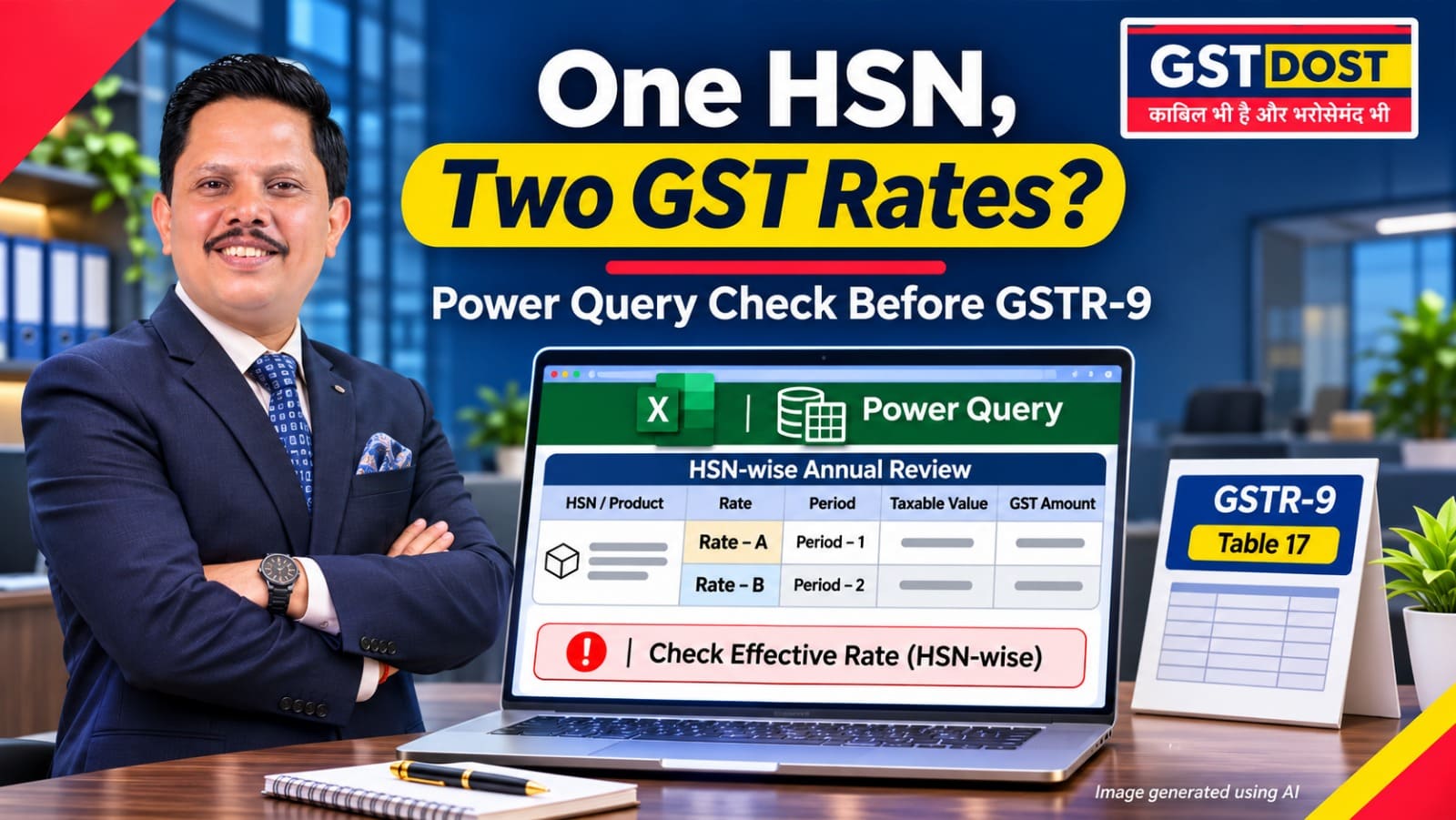
FY 2025-26 is a rate-change year. Most of the revised GST rates took effect on 22 September 2025, and a further set of changes for pan masala and tobacco products took effect on 1 February 2026. If all sales under one product code (HSN) are added up for the year and a single rate is applied, the working can hide the difference, misstate the tax and produce an unreliable annual return. A simple check in Excel brings such cases to the surface before GSTR-9 is filed.
In simple terms
- If the rate on a product changed during the year, its sales have to be looked at in two parts: before the change and after it.
- The invoice date alone does not always decide the rate. The dates of supply and of payment also matter, under section 14 of the CGST Act.
- Tax divided by taxable value gives an effective rate. An effective rate that matches neither the old rate nor the new one is a signal to look closer.
Why this matters
Annual summaries are usually prepared HSN-wise. In a normal year that is enough, because one HSN carries one rate. In a rate-change year the same HSN can carry two rates, and a total at HSN level blends them.
The annual return notices the difference. Table 17 of GSTR-9, the HSN-wise summary of outward supplies, has a column for the rate of tax, so one HSN sold at two rates has to be reported in separate rows. A working that keeps only one row per HSN cannot support that table.
The rate-change dates in FY 2025-26
| Date | What changed |
|---|---|
| 22 September 2025 | The revised rates decided in the 56th GST Council meeting took effect for goods and services, other than cigarettes, chewing tobacco products such as zarda, unmanufactured tobacco and bidi. This is stated in the FAQs released by the Ministry of Finance on 3 September 2025. |
| 1 February 2026 | Pan masala, cigarettes and other tobacco products moved to a 40% GST rate and bidis to 18%, and the compensation cess on these goods ended, as reported by PTI on 1 January 2026 on the basis of the Government notification. |
These dates tell you where to look. They do not tell you the rate of any particular product. Whether a product changed, and from which rate to which, depends on the notified entry for that product, including any exemption and any later amendment.
Do not use the invoice date alone
Section 14 of the CGST Act deals with a change in the rate of tax. It looks at three events: when the supply was made, when the invoice was issued and when the payment was received. The time of supply, and therefore the rate, is fixed as follows.
| Supply made | Invoice issued | Payment received | Time of supply | Rate that follows |
|---|---|---|---|---|
| Before the change | After | After | Date of invoice or payment, whichever is earlier | New rate |
| Before the change | Before | After | Date of invoice | Old rate |
| Before the change | After | Before | Date of payment | Old rate |
| After the change | Before | After | Date of payment | New rate |
| After the change | Before | Before | Date of invoice or payment, whichever is earlier | Old rate |
| After the change | After | Before | Date of invoice | New rate |
Summary of section 14(a) and 14(b) of the CGST Act. The proviso on the date of receipt of payment, where the bank credit comes more than four working days after the change, also applies.
In every row, the rate follows the side of the change date on which at least two of the three events fall. So 22 September 2025 is a review boundary. It is not a formula that picks the rate from the invoice date.
Practical example
Assume a business sells a hypothetical item that was taxed at 12% before its notified date of change and at 5% after it.
| Particulars | Taxable value | Rate | GST |
|---|---|---|---|
| Sales before the change | ₹8,00,000 | 12% | ₹96,000 |
| Sales after the change | ₹12,00,000 | 5% | ₹60,000 |
| Correct total on these facts | ₹20,00,000 | ₹1,56,000 | |
| A working that applies 5% to the whole year | ₹20,00,000 | 5% | ₹1,00,000 |
| Tax understated by that working | ₹56,000 |
Illustrative figures for a hypothetical item. The example does not establish the rate of any actual HSN.
On the correct figures, the effective rate for the whole year is 7.8% (₹1,56,000 on ₹20,00,000). A rate that is neither 12% nor 5% is exactly what the check looks for at HSN level. Once the sales are split by period, each part should come back to its own rate.
A repeatable check in Excel
Power Query is the data tool built into Excel, found in the Data tab under Get & Transform Data. Two of its features are enough for this check. Group By summarises rows, and its Advanced option allows grouping by more than one column. A custom column adds a calculated field, in which other columns are referred to by name in square brackets.
- Export invoice-line sales data with HSN or SAC, item description, date of supply, invoice date, payment date, taxable value and tax amount.
- Build a rate master: for each product, the rate, the date from which it applies and the notification reference. Have it reviewed by someone who knows the law.
- Group the data by HSN or SAC, rate charged and period, so that each rate band stays separate.
- Add a custom column for the effective rate:
[TaxAmount] / [TaxableValue] * 100, with handling for zero and negative values. - Compare the effective rate with the rate master and flag differences that rounding does not explain.
- Examine by hand the transactions around each change date, applying section 14.
- Reconcile the validated rate-wise totals with GSTR-1, GSTR-3B and the relevant GSTR-9 tables, including Table 17.
Compare like with like: Use the total of all tax heads on the line (IGST, or CGST plus SGST or UTGST) as the tax amount, and keep compensation cess separate. Credit notes carry negative values and need the same treatment as the invoices they relate to.
Using AI to draft the query
An AI assistant can draft the Power Query steps. Use dummy data for the exercise. A prompt you can reuse:
Data confidentiality: Test any generated query independently before relying on it. Do not send confidential business or client data to a public AI tool without permission and adequate protection.
Action points
If you own or manage the business
- Ask which of your products changed rate. Get a list of the goods and services you sell whose GST rate changed in FY 2025-26, with the date of change for each.
- Ask for sales by rate, not only by HSN. The annual summary should show each HSN separately for each rate at which it was sold.
- Decide on each exception. Where tax may have been charged at the wrong rate, decide whether the transaction has to be corrected, the customer informed, or a documented explanation kept on file.
If you prepare or review the GST returns
- Download invoice-line sales data with HSN or SAC, item description, date of supply, invoice date, payment date, taxable value and tax amount.
- Build a reviewed, product-specific rate master with effective dates and notification references.
- Use Power Query to group by HSN or SAC, applicable rate and reporting period, keeping the rate bands separate.
- Calculate the effective rate as tax amount divided by taxable value for comparable records, and flag unexpected values after allowing for rounding and mixed tax heads.
- Examine the transactions around the rate-change dates manually under section 14.
- Reconcile the validated rate-wise totals with GSTR-1, GSTR-3B and the applicable GSTR-9 disclosures, including the outward HSN summary.
Red flag: All invoices under an HSN are consolidated at a single rate for the year although the notified rate changed during the year. Or there are unexplained effective rates around the date of change.
Records to keep: The reviewed rate master with its legal references, the number of source rows, the grouped results, the invoices in question, the section 14 analysis, the conclusion on each exception and the name of the person who approved it.
What you should have at the end: A list of sales on which tax may have been charged at an incorrect rate, so that a decision can be taken on each: correct the transaction, inform the customer, or keep a documented explanation.
Practical takeaway
In a rate-change year, reconcile annual sales by product, legal rate and effective period. HSN alone is not enough.
Terms used in this article
- HSN and SAC
- HSN (Harmonised System of Nomenclature) is the code used to classify goods. SAC (Services Accounting Code) is the code used to classify services.
- Time of supply
- The point of time at which a supply is treated as made for GST. It decides the period, and the rate, that apply to it.
- Effective rate
- Tax amount divided by taxable value, expressed as a percentage.
- Rate master
- A table listing each product with its GST rate, the date from which that rate applies and the legal reference.
- GSTR-1, GSTR-3B and GSTR-9
- GSTR-1 is the statement of outward supplies (sales). GSTR-3B is the summary return in which tax is paid. GSTR-9 is the annual return.
- Tax head
- The type of tax: IGST, CGST, SGST or UTGST, and cess.
- Power Query
- The data import and preparation tool built into Microsoft Excel. It records each step, so the same process can be refreshed when the data changes.
Sources and references
- FAQs on the decisions of the 56th GST Council meeting (Ministry of Finance, released through PIB, 3 September 2025) - effective date and section 14.
- Central Goods and Services Tax Act, 2017 (India Code) - section 14, change in rate of tax.
- PTI report dated 1 January 2026 (published in The Free Press Journal) - GST rates on pan masala and tobacco products from 1 February 2026.
- FORM GSTR-9, Table 17 (HSN-wise summary of outward supplies), Central Goods and Services Tax Rules, 2017.
- Microsoft Learn - Grouping or summarizing rows (Power Query).
- Microsoft Learn - Add a custom column (Power Query).
Disclaimer: This article is for general information only and reflects the position as understood on the review date mentioned above. It is not legal advice and does not create a professional relationship. The GST rate of a product depends on its notified description, exemptions, the time-of-supply rules and later amendments, which must be checked item by item. Figures in the example are illustrative. Any query or formula should be tested on sample data before use. Please obtain professional advice before acting on this article.
GST DOST | GST Annual Return, Reconciliation and Technology-led Review

Related posts
Rule 37A Before 30 November 2026: A Supplier Can Report Your Invoice and Still Put Your ITC at Risk...
GSTR-9C Tax Reconciliation: A Zero Total Difference Can Hide a Wrong Tax Head...
180-Day Vendor Payment Test: Use Excel to Find ITC Reversals Hidden in Old Creditors...
Goods Sent to Another Factory for Processing: Who Is Responsible for GST Job Work Records and ITC-04?...
